Friday, August 18, 2006

New HP All-in-Ones Give Home Users New Standards

New HP All-in-Ones Give Home Users New Standards in Usability Along With True-to-Life Photos and CD/DVD Tattooing


HP today unveiled the HP Photosmart C3183 and HP Photosmart C4183 All-in-One printer, scanner and copiers. The HP All-in-Ones include new HP Photosmart Express software to enable users to access photos quickly and simply, then easily view, organise, share and print them. Four-ink printing with HP Vivera Inks produces rich and realistic photos that resist fading for generations.(1) HP Real-Life Technologies provide features such as red-eye removal, slimming and easy creation of panoramic pictures as well as automatically adjusting lighting to produce the best image possible.

HP’s new CD/DVD tattooing on ultra-thin, highly durable plastic labels creates personalised photo, music and data CDs that look professional.
The HP Photosmart C3183 and C4183 provide:

• Four-ink (six-ink optional) printing with HP Vivera Inks to produce rich and realistic photos that resist fading for generations(1)
• HP Photosmart Express button to make completing your digital photography experience fast and easy – view, print, share and save
• HP Real Life technologies, which automatically removes red-eye and enhances photos with adaptive lighting for professional quality photos at home
• CD tattooing for personalisation of photo, music or data CDs
• Colour and black & white copies and photo reprints without a computer
• Effortless printing of landscapes or other panoramic images with HP panorama photo printing in any size up to 210mmx594mm(2) with or without borders
• HP auto paper type sensor to optimise print and copy quality for various papers
• Intuitive control panel and convenient one-touch buttons that are easy to use

In addition, the HP Photosmart C3183 includes the HP Photosmart Essentials software and the HP Photosmart C4183 includes the HP Photosmart Premier software. This allows users to edit, organise, print, share, archive and create photo projects.

The HP Photosmart C4183 also provides:

• Walk-up and print using the 6.1cm colour image display -- adjusts for optimal viewing from any angle and allows user to select, rotate, crop, zoom and remove red-eye directly from the display without using a computer
• Storable 10x15cm tray for dedicated photo printing
• The HP Document Viewer to easily view, manage and annotate photos and documents

HP offers a wide variety of papers ranging from everyday multipurpose papers to photo and professional brochure and flyer papers. HP recommends the following media (selection):

• HP Superior Inkjet Paper 180g Glossy, A4
• HP Professional Inkjet Paper 120 Matt, A4
• HP Labels 70x36mm, A4
• HP Bright White Inkjet Paper 90, A4
• HP Premium Glossy Photo Paper 240, 10x15cm

HP CD/DVD Tattoos

HP’s new CD/DVD Tattoos are ideal for anyone who burns discs of music, photos, video or other digital information, and wants to add a personal touch. They are ultra-thin, highly durable plastic labels that provide the world’s glossiest, water-resistant finish that will not delaminate. Innovative anti-curl technology prevents the tattoos from wrinkling, curling or warping. Personalised CD/DVD labels are easy to create with text and exclusive designs from HP’s collection, or by adding your own photos and graphics to make truly unique discs at www.hp.com/eur/tattoos.

Pricing and availability
• HP Photosmart C3183 – estimated price - $106
• HP Photosmart C4183 – estimated price - $161

About HP

HP is a technology solutions provider to consumers, businesses and institutions globally. The company’s offerings span IT infrastructure, global services, business and home computing, and imaging and printing. For the four fiscal quarters ended April 30, 2006, HP revenue totalled $88.9 billion. More information about HP (NYSE, Nasdaq: HPQ) is available at www.hp.com.

(1) Based on WillhelmResearch.com light-fade testing under glass (January 2005) using the HP Vivera Inks on HP Premium Plus Photo Papers. For more information on additional permanence testing factors, visit http://hp.com/go/premiumplusphoto.
(2) Borderless printing up to 210mmx594mm using brochure and photo papers.
((3) 6-ink printing available with purchase of optional HP 58 Photo Inkjet Cartridge; not included; sold separately.
(4) Up to 4800x1200-optimised dpi colour when printing from a computer and 1200-input dpi.
(5 Using 4x6-inch HP photo papers plus tab.
(6) Based on paper industry predictions for acid-free testing papers; colourant stability data at room temperature based on similar systems tested as per ISO 11798 and ISO 18909.
(7) For information on page yield please go to www.hp.com/go/pageyield.
(8) EMEA Manufacturer’s Recommended Selling Price (MRSP) including VAT and is subject to change – actual price may vary by country.


© 2006 Hewlett-Packard Development Company, L.P. The information contained herein is subject to change without notice. The only warranties for HP products and services are set forth in the express warranty statements accompanying such products and services. Nothing herein should be construed as constituting an additional warranty. HP shall not be liable for technical or editorial errors or omissions contained herein.

==============================
Cartridge Shop the Advice, Information and
Supply Centre for Inexpensive Genuine,
Compatible or Recycled Inkjet and Laser
Toner Cartridges.

Friday, August 11, 2006

Throwaway Printers

Moneycontrol Tech Blog > Disposable Printers: "Disposable Printers

Thursday August 10th 2006, 1:00 pm

By: Gagan Gupta

Use ‘em, Dump ‘em!

The concept of Disposable printers has been brought in by the throwaway price-tags attached to the low-end printer these days. The thing with these printers is that their cartridge prices are almost as high as the price of the printer itself.Of course that doesn’t mean that you should throw away these printers once you run out of cartridges (the chances of you running out of both the ink cartridges at the same time are pretty narrow). The theory aims more towards the idea that these are the printers you can well afford to throw away without feeling a pinch in your pocket.

Instead of carrying a printer along with you, when going on a business trip, you can simply pick one of these up from a local vendor, use it as much as you like, and simply discard it once you’re done. Or even if you’re a home user, and you encounter a problem with one of these printers, and it’s out of the warranty period; you can simply dump it and get a new one.

These printers are perfect for regular document printing or simple home printing needs, where one doesn’t expect too much quality. If you want great quality and features like pict-bridge support, wireless printing, direct memory card printing, then these little entry-level models just won’t do.

If you’re in the market for a disposable printer then now comes the good part for you. We’ve listed out some great options in disposable printers that are currently available in the market these days, to help your buying decision.

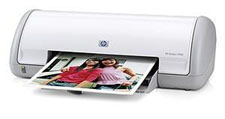
HP Deskjet 3940

HP’s starter-level printer, the Deskjet 3940, is absolutely the cutest one in its segment. It’s quite tiny in its 16.6 x 13.6 x 5.6 inch body, and weighs only 4.5lbs. It may not be a highly recommended photo printer out there but it will definitely satisfy a home user who wants to simply print out his vacation photos, cards or stationary.

Available at the street price of Rs 2,999, the HP 3940 is the most expensive printer on this list, but that’s not so bad, considering that it does have the cheapest cartridge costs on this list too(Rs 702 for black and Rs 810 for color). Rest assured, the printer will look great on your desk and give you more than satisfactory print quality for your everyday printing needs. If you’re looking for better speeds and higher quality in photo printing, then maybe you should check out this next model below.

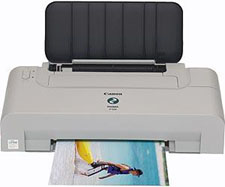
Canon PIXMA iP1200

The Canon PIXMA iP1200 is not too good to look at, in fact we can safely go as far as saying that it would probably look better hidden somewhere in your computer cabinet than out open on the desktop. But once you shoot a print command at it, your perception seriously changes.

The prints you get from the iP1200 are the best among the printers listed here, and its definitely faster than the HP 3940. The price of the printer is 2750, which is lesser than the HP 3940 too but the cartridge prices are n the higher side (Rs. 1,000 for black and Rs. 1,200 for color).

If performance holds a higher value over looks, for you, then the PIXMA iP1200 is just right for you. Otherwise the HP Deskjet 3940 will definitely look a lot better on your desk. However, if you’re only looking at saving money then move on to the printer below.

Lexmark Z615

The Lexmark Z615 defines the disposable printer category with its extremely affordable price tag of Rs 2,250. Since the cartridges cost only Rs. 812 for black and Rs. 884 for color, you aren’t exactly left for broke by the recurring cartridge costs.

The printer is nowhere as sleek as the HP 3940, but it’s curvaceous build keeps it from being unattractivelike the PIXMA iP1200. However the build of this budget printer seems pretty flimsy and the parts don’t really seem the type that would last too long. Even the print quality leaves a lot to be desired. Though the above printers costed a bit more than the Z615, their print quality was way better. The good thing is that at its price you really have nothing to lose.

Technorati Tags: Lexmark, Z615, Canon, iP1200, HP, Deskjet, 3940, printers, inkjet, disposable, budget"

===============================
Cartridge Shop the Advice, Information and
Supply Centre for Inexpensive Genuine,
Compatible or Recycled Inkjet and Laser
Toner Cartridges.

Thursday, August 10, 2006

Guide to Buying Printers

Buying Guide to Printers - Associated Content: "Buying Guide to Printers Facts About the Way Printers Work, and Which You Should Purchase for the Job You Have

By Tabitha McKinney

First of all, when purchasing a new printer, you must first know what you want the printer to do, for instance, would you like a printer to print your digital photos on, or do you need a printer mostly for black and white text documents? Maybe you would like a multifunctional printer that ‘has it all’ (Fax, Printer, Digital Camera Dock, and Scanner).

There are so many different types of printers it is easy to feel discouraged, or confused when trying to purchase a new one.
Sizes of printers are another thing you need to keep in mind, when purchasing a new printer you need to take in to consideration where you plan to have this particular printer set up at, if you don’t have room for a big bulky printer there are plenty of other styles to choose from, quite like the decision when buying most any household items, there is always the drawback of size.

HP printers are a very highly respectable brand of printer, they come in so many different sizes and styles that you can spend hours just browsing their very impressive selection of printers.

HP printers are also excellent for business printers, such as those you would need in offices and such, also many selections perfect for the home office.

Another huge thing to consider when purchasing your new printer is do you want an ink printer or a laser printer? It may seem like an odd question, or more commonly just wondering what the difference is, well, the difference is the way the printers transfer the ink to the paper, with an ink printer, the printer uses ink cartridges with liquid ink inside and through the printer the ink is squirted onto the paper from the printer head.

Now with a laser printer the ink is in a powder form stored in what they call a “Toner Cartridge”, the printer heats the media areas that need to be printed, then the powder from the toner cartridge is attached to the paper.

Now if you want to print more often, it is a lot cheaper to purchase a laser printer, just because you won’t have to buy the ink as often as you would with an inkjet printer.

But if price is not too much of an issue for you, and you are looking to print more images than text, then you should check out a dye-sub printer. There is a major difference between inkjet, laser and dye sublimation printers, with dye-sub printers, instead of the color being transferred as an individual ‘dot’ or ‘smear’ of color on to the paper’s surface, there is a roll of cellophane looking sheets with dye imbedded in to it, as the print head heats up passing over the film it causes the dyes to vaporize and permeate onto the glossy surface of the paper before returning to solid form, this causes the ink to almost blur together with each passing of the print head creating a more real and natural look to your photos that are being printed. "

===============================
Cartridge Shop the Advice, Information and
Supply Centre for Inexpensive Genuine,
Compatible or Recycled Inkjet and Laser
Toner Cartridges.

Tuesday, August 08, 2006

Epson settles fake inkjet cartridge suit

Macworld UK - Epson settles fake inkjet cartridge suit: "Epson settles fake inkjet cartridge suit

By Macworld staff

Epson has agreed a settlement with UK internet retailer Recharge Inkjet Technologies (CartridgeMonkey.com) over the sale of ink cartridges for Epson printers.

Recharge has agreed not to infringe Epson's patents and registered designs in future, and to pay a substantial settlement to Epson. The full terms of the settlement are confidential.

Mr Scott, director of Recharge said: 'Following discussions with Epson, we have discontinued our range of ink cartridges compatible with Epson branded printers because of concerns that they may infringe Epson's intellectual property rights. CartridgeMonkey.com will continue to stock the full range of Epson original inks and Epson multi-packs, so our customers continue to benefit from the many significant long-term benefits when using ink cartridges manufactured by Epson.'

Nick Butler, managing director, Epson UK said: 'Genuine Epson ink is the highest quality ink you can use for your Epson printer. Our investment into research and development has ensured that we are providing premium quality output for our customers and that both our ink and our printers work in harmony together. We welcome CartridgeMonkey.com's decision to remove the cartridges complained of and its recognition of the importance of respecting Epson's intellectual property rights.'"

===============================
Cartridge Shop the Advice, Information and
Supply Centre for Inexpensive Genuine,
Compatible or Recycled Inkjet and Laser
Toner Cartridges.

Monday, August 07, 2006

New Lexmark X2470


Lexmark X2470 - PC Advisor: "Lexmark X2470

by: Robin Morris

Sixty quid for a device that prints, scans and copies sounds like an irresistible deal. As is often the case with peripherals, things aren't quite what they seem.

The ink cartridge, for a start, is something of an oddity. We've become used to printers replacing the universal colour cartridge with individual tanks – if one colour runs out, you can replace just that colour's tank rather than having to junk the entire cartridge.

The X2470, however, goes for the opposite philosophy: you don't even get individual colour and black versions. Everything is built into a single cartridge and, because this is so small, you can expect to be replacing it very frequently. We think Lexmark's running-cost estimates may be quite conservative – this could work out as a rather expensive model.

In most other respects, though, the X2470 is a solid, if uninspired, MFD (multifunction device). Its cream casing is rather striking, even if the lack of heft suggests that it won't be the most robust of machines. The one-touch buttons make it a very user-friendly device and, while the print resolutions are very much the standard for sub-�100 MFDs – as, for that matter, is the 100-page input tray – the inclusion of a PictBridge port is a nice thought.

We weren't too impressed by the speeds. The quoted figures proved wildly optimistic. It turned out that the X2470 could manage only 4.4ppm (pages per minute) when generating colour prints, and you'll need to be satisfied with just 1.7ppm if you're going to get decent quality. Even its highest quality mode was no more than adequate.

Neither was the Lexmark particularly impressive at text. Even at the top setting, characters were thick and lacked finesse. Scanning facilities were adequate given the price, but the low optical scanning resolution means that such features are always going to be rather limited.
Verdict

The X2470 is cheap on paper, but its running costs will stack up in the long run. Add to this average speed and final quality that fails to match that of the similarly priced HP PSC 1410, and this is an MFD that will struggle to establish itself as the best buy."

===============================

Cartridge Shop the Advice, Information and
Supply Centre for Inexpensive Genuine,
Compatible or Recycled Inkjet and Laser
Toner Cartridges.

Wednesday, August 02, 2006

New All-In-One InkJet Printer Brother MFC-5440CN

Brother just released a new flatbed, full colour Printer, Fax, Copier, and Scanner. MFC-5440CN delivers fast inkjet printing up to 20ppm black and 15ppm colour.

For an exceptional colour output users can select photo-quality printing resolution up to 6000 x 1200 dpi.

Printer doesn't require a PC for faxing or copying. Adaptable flatbed design easily handles bound documents. The 16MB memory stores up to 200 pages so faxes can be scanned in while sending or receiving.

Includes USB 2.0 Full Speed and Ethernet interfaces. Front-loading 100-sheet paper capacity and 35-page ADF. Compatible with Windows® and Macintosh® operating systems.
===============================
Cartridge Shop the Advice, Information and
Supply Centre for Inexpensive Genuine,
Compatible or Recycled Inkjet and Laser

Toner Cartridges.

Tuesday, August 01, 2006

Review of the HP Deskjet 460cb

Moneycontrol Tech Blog > HP Deskjet 460cb review: "HP Deskjet 460cb review

Monday July 31st 2006, 3:00 pm

Filed under: Reviews, Printing and Imaging

By: Gagan Gupta

With portable printers you come to expect a slight lack of quality and functionality. It’s a small compromise considering that it features a small form factor, light weight and the fact that it’s built to be lugged around by you without taking much damage. Even as reviewers we tend to cut portable technology a little slack.

The HP Deskjet 460cb, however, completely busts that myth with it’s great performance, portable size, and a plethora of practical functionality that eliminates the need for you to have a separate printer for some ‘serious printing’.

Sized at 340.2 x 184.8 x 80.5mm, the printer is not exactly small enough to fit into your briefcase, and may even require a separate bag for it, but it’s light weight of around 2kgs doesn’t make it much of a burden.

If you’re not on a long trip you can even leave behind all the cables and the adapter and run the printer wirelessly using the included Li-Ion battery for power and WiFi or Bluetooth for printing. The printer also comes with memory card slots (SD/MMC/CF) and PictBridge , so it’s also an ideal printer for the photographer on the move.

In our tests the printer performed pretty well when it came to printing at full quality (1200�1200 dpi). The colors were vivid as anticipated, thanks to HP’s Vivera ink technology.

The black however had a slight bluish tinge to it, and not as deep s we would ideally like. The 460cb also showed some great results when it came to speed. It took a little over six and a half minutes when printing our A4-sized tests at the highest quality, which is a pretty good speed at 1200dpi. For a single sheet black and white document print in normal mode it took 10.8 seconds. In short, most users will be more than satisfied with the printer’s performance."

===============================
Cartridge Shop the Advice, Information and
Supply Centre for Inexpensive Genuine,
Compatible or Recycled Inkjet and Laser
Toner Cartridges.